DJ GENIESTUDIO
Your library knows what to play next.
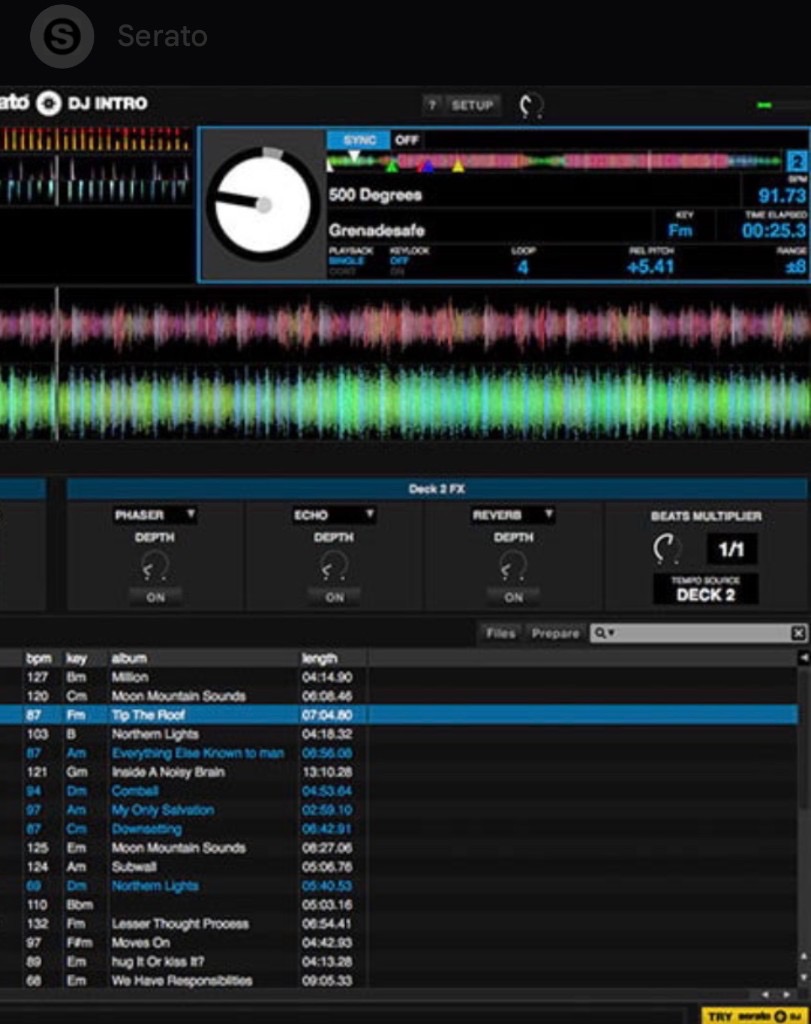
- Reads your Serato library, crates, and history.
- Uses that as context for how you DJ.
- Recommends what to play next from your music.
Prep Studio is where you get the night ready.
Gear Shift puts it to work in the booth.
🧠 DJ Genie Learns You
Every gig teaches DJ Genie how you DJ.
That's History: Serato play sessions with timestamps, duration, songs, and artists, imported read-only. DJ Genie uses that available play information as context for what you actually play. You don't sit there training a model. Your Serato history is the starting point.
- Sessions, timestamps, play counts, and the track list
- Read-only import from Serato play history
- Context for recommendations — not a replacement for your judgment
⚡ Gear Shift
I want to change gears and turn up the energy. What should I play next?
That's Gear Shift. Now Playing is whatever is in Serato. Play Next and Also Consider pull the next records from your own library. Cool, Hold, and Turn Up shift energy. Transition and Slam find the edit. Crowd tells Gear Shift who's in the room. You still pick the record.
- Now Playing, Play Next, and Also Consider — from your library
- Cool, Hold, Turn Up, Transition, Slam
- Crowd context: age, mix, and music direction
Live demo
Tab arrow opens it. Tap buttons inside to change gears.
Now Playing
LIVEYeah!
Play next
Moscow Mule (Clean)
Bad Bunny
98 BPM6AGasolina (Clean)
Daddy Yankee
96 BPM8ALa Vida Es Un Carnaval (Clean)
Celia Cruz
104 BPM8A
%22%2F%3E%0A%20%20%20%20%20%20%20%20%3Cstop%20offset%3D%2255%25%22%20stop-color%3D%22hsl(168%2068%25%2028%25)%22%2F%3E%0A%20%20%20%20%20%20%20%20%3Cstop%20offset%3D%22100%25%22%20stop-color%3D%22hsl(240%2060%25%2018%25)%22%2F%3E%0A%20%20%20%20%20%20%3C%2FlinearGradient%3E%0A%20%20%20%20%20%20%3ClinearGradient%20id%3D%22shine%22%20x1%3D%220%25%22%20y1%3D%220%25%22%20x2%3D%220%25%22%20y2%3D%22100%25%22%3E%0A%20%20%20%20%20%20%20%20%3Cstop%20offset%3D%220%25%22%20stop-color%3D%22rgba(255%2C255%2C255%2C0.28)%22%2F%3E%0A%20%20%20%20%20%20%20%20%3Cstop%20offset%3D%22100%25%22%20stop-color%3D%22rgba(255%2C255%2C255%2C0)%22%2F%3E%0A%20%20%20%20%20%20%3C%2FlinearGradient%3E%0A%20%20%20%20%3C%2Fdefs%3E%0A%20%20%20%20%3Crect%20width%3D%22120%22%20height%3D%22120%22%20fill%3D%22url(%23bg)%22%2F%3E%0A%20%20%20%20%3Cg%20transform%3D%22rotate(19%2060%2060)%22%20opacity%3D%220.22%22%3E%0A%20%20%20%20%20%20%3Crect%20x%3D%22-20%22%20y%3D%2218%22%20width%3D%22160%22%20height%3D%2210%22%20fill%3D%22white%22%2F%3E%0A%20%20%20%20%20%20%3Crect%20x%3D%22-20%22%20y%3D%2252%22%20width%3D%22160%22%20height%3D%226%22%20fill%3D%22white%22%2F%3E%0A%20%20%20%20%20%20%3Crect%20x%3D%22-20%22%20y%3D%2286%22%20width%3D%22160%22%20height%3D%2214%22%20fill%3D%22white%22%2F%3E%0A%20%20%20%20%3C%2Fg%3E%0A%20%20%20%20%3Ccircle%20cx%3D%2288%22%20cy%3D%2228%22%20r%3D%2218%22%20fill%3D%22hsl(240%2055%25%2052%25)%22%20opacity%3D%220.45%22%2F%3E%0A%20%20%20%20%3Ccircle%20cx%3D%2224%22%20cy%3D%2292%22%20r%3D%2222%22%20fill%3D%22hsl(168%2070%25%2062%25)%22%20opacity%3D%220.28%22%2F%3E%0A%20%20%20%20%3Crect%20width%3D%22120%22%20height%3D%22120%22%20fill%3D%22url(%23shine)%22%2F%3E%0A%20%20%20%20%3Ctext%20x%3D%2260%22%20y%3D%2258%22%20text-anchor%3D%22middle%22%20fill%3D%22rgba(255%2C255%2C255%2C0.95)%22%20font-size%3D%2234%22%20font-family%3D%22system-ui%2C-apple-system%2Csans-serif%22%20font-weight%3D%22800%22%20letter-spacing%3D%22-0.04em%22%3EMM%3C%2Ftext%3E%0A%20%20%20%20%3Ctext%20x%3D%2260%22%20y%3D%2278%22%20text-anchor%3D%22middle%22%20fill%3D%22rgba(255%2C255%2C255%2C0.72)%22%20font-size%3D%229.5%22%20font-family%3D%22system-ui%2C-apple-system%2Csans-serif%22%20font-weight%3D%22700%22%20letter-spacing%3D%220.14em%22%3ELATIN%3C%2Ftext%3E%0A%20%20%20%20%3Ctext%20x%3D%2260%22%20y%3D%22104%22%20text-anchor%3D%22middle%22%20fill%3D%22rgba(255%2C255%2C255%2C0.88)%22%20font-size%3D%228.5%22%20font-family%3D%22system-ui%2C-apple-system%2Csans-serif%22%20font-weight%3D%22600%22%3EBad%20Bunny%3C%2Ftext%3E%0A%20%20%3C%2Fsvg%3E)
%22%2F%3E%0A%20%20%20%20%20%20%20%20%3Cstop%20offset%3D%2255%25%22%20stop-color%3D%22hsl(83%2068%25%2028%25)%22%2F%3E%0A%20%20%20%20%20%20%20%20%3Cstop%20offset%3D%22100%25%22%20stop-color%3D%22hsl(155%2060%25%2018%25)%22%2F%3E%0A%20%20%20%20%20%20%3C%2FlinearGradient%3E%0A%20%20%20%20%20%20%3ClinearGradient%20id%3D%22shine%22%20x1%3D%220%25%22%20y1%3D%220%25%22%20x2%3D%220%25%22%20y2%3D%22100%25%22%3E%0A%20%20%20%20%20%20%20%20%3Cstop%20offset%3D%220%25%22%20stop-color%3D%22rgba(255%2C255%2C255%2C0.28)%22%2F%3E%0A%20%20%20%20%20%20%20%20%3Cstop%20offset%3D%22100%25%22%20stop-color%3D%22rgba(255%2C255%2C255%2C0)%22%2F%3E%0A%20%20%20%20%20%20%3C%2FlinearGradient%3E%0A%20%20%20%20%3C%2Fdefs%3E%0A%20%20%20%20%3Crect%20width%3D%22120%22%20height%3D%22120%22%20fill%3D%22url(%23bg)%22%2F%3E%0A%20%20%20%20%3Cg%20transform%3D%22rotate(2%2060%2060)%22%20opacity%3D%220.22%22%3E%0A%20%20%20%20%20%20%3Crect%20x%3D%22-20%22%20y%3D%2218%22%20width%3D%22160%22%20height%3D%2210%22%20fill%3D%22white%22%2F%3E%0A%20%20%20%20%20%20%3Crect%20x%3D%22-20%22%20y%3D%2252%22%20width%3D%22160%22%20height%3D%226%22%20fill%3D%22white%22%2F%3E%0A%20%20%20%20%20%20%3Crect%20x%3D%22-20%22%20y%3D%2286%22%20width%3D%22160%22%20height%3D%2214%22%20fill%3D%22white%22%2F%3E%0A%20%20%20%20%3C%2Fg%3E%0A%20%20%20%20%3Ccircle%20cx%3D%2288%22%20cy%3D%2228%22%20r%3D%2218%22%20fill%3D%22hsl(155%2055%25%2052%25)%22%20opacity%3D%220.45%22%2F%3E%0A%20%20%20%20%3Ccircle%20cx%3D%2224%22%20cy%3D%2292%22%20r%3D%2222%22%20fill%3D%22hsl(83%2070%25%2062%25)%22%20opacity%3D%220.28%22%2F%3E%0A%20%20%20%20%3Crect%20width%3D%22120%22%20height%3D%22120%22%20fill%3D%22url(%23shine)%22%2F%3E%0A%20%20%20%20%3Ctext%20x%3D%2260%22%20y%3D%2258%22%20text-anchor%3D%22middle%22%20fill%3D%22rgba(255%2C255%2C255%2C0.95)%22%20font-size%3D%2234%22%20font-family%3D%22system-ui%2C-apple-system%2Csans-serif%22%20font-weight%3D%22800%22%20letter-spacing%3D%22-0.04em%22%3EGA%3C%2Ftext%3E%0A%20%20%20%20%3Ctext%20x%3D%2260%22%20y%3D%2278%22%20text-anchor%3D%22middle%22%20fill%3D%22rgba(255%2C255%2C255%2C0.72)%22%20font-size%3D%229.5%22%20font-family%3D%22system-ui%2C-apple-system%2Csans-serif%22%20font-weight%3D%22700%22%20letter-spacing%3D%220.14em%22%3EREGGAETON%3C%2Ftext%3E%0A%20%20%20%20%3Ctext%20x%3D%2260%22%20y%3D%22104%22%20text-anchor%3D%22middle%22%20fill%3D%22rgba(255%2C255%2C255%2C0.88)%22%20font-size%3D%228.5%22%20font-family%3D%22system-ui%2C-apple-system%2Csans-serif%22%20font-weight%3D%22600%22%3EDaddy%20Yankee%3C%2Ftext%3E%0A%20%20%3C%2Fsvg%3E)
%22%2F%3E%0A%20%20%20%20%20%20%20%20%3Cstop%20offset%3D%2255%25%22%20stop-color%3D%22hsl(96%2068%25%2028%25)%22%2F%3E%0A%20%20%20%20%20%20%20%20%3Cstop%20offset%3D%22100%25%22%20stop-color%3D%22hsl(168%2060%25%2018%25)%22%2F%3E%0A%20%20%20%20%20%20%3C%2FlinearGradient%3E%0A%20%20%20%20%20%20%3ClinearGradient%20id%3D%22shine%22%20x1%3D%220%25%22%20y1%3D%220%25%22%20x2%3D%220%25%22%20y2%3D%22100%25%22%3E%0A%20%20%20%20%20%20%20%20%3Cstop%20offset%3D%220%25%22%20stop-color%3D%22rgba(255%2C255%2C255%2C0.28)%22%2F%3E%0A%20%20%20%20%20%20%20%20%3Cstop%20offset%3D%22100%25%22%20stop-color%3D%22rgba(255%2C255%2C255%2C0)%22%2F%3E%0A%20%20%20%20%20%20%3C%2FlinearGradient%3E%0A%20%20%20%20%3C%2Fdefs%3E%0A%20%20%20%20%3Crect%20width%3D%22120%22%20height%3D%22120%22%20fill%3D%22url(%23bg)%22%2F%3E%0A%20%20%20%20%3Cg%20transform%3D%22rotate(9%2060%2060)%22%20opacity%3D%220.22%22%3E%0A%20%20%20%20%20%20%3Crect%20x%3D%22-20%22%20y%3D%2218%22%20width%3D%22160%22%20height%3D%2210%22%20fill%3D%22white%22%2F%3E%0A%20%20%20%20%20%20%3Crect%20x%3D%22-20%22%20y%3D%2252%22%20width%3D%22160%22%20height%3D%226%22%20fill%3D%22white%22%2F%3E%0A%20%20%20%20%20%20%3Crect%20x%3D%22-20%22%20y%3D%2286%22%20width%3D%22160%22%20height%3D%2214%22%20fill%3D%22white%22%2F%3E%0A%20%20%20%20%3C%2Fg%3E%0A%20%20%20%20%3Ccircle%20cx%3D%2288%22%20cy%3D%2228%22%20r%3D%2218%22%20fill%3D%22hsl(168%2055%25%2052%25)%22%20opacity%3D%220.45%22%2F%3E%0A%20%20%20%20%3Ccircle%20cx%3D%2224%22%20cy%3D%2292%22%20r%3D%2222%22%20fill%3D%22hsl(96%2070%25%2062%25)%22%20opacity%3D%220.28%22%2F%3E%0A%20%20%20%20%3Crect%20width%3D%22120%22%20height%3D%22120%22%20fill%3D%22url(%23shine)%22%2F%3E%0A%20%20%20%20%3Ctext%20x%3D%2260%22%20y%3D%2258%22%20text-anchor%3D%22middle%22%20fill%3D%22rgba(255%2C255%2C255%2C0.95)%22%20font-size%3D%2234%22%20font-family%3D%22system-ui%2C-apple-system%2Csans-serif%22%20font-weight%3D%22800%22%20letter-spacing%3D%22-0.04em%22%3ELV%3C%2Ftext%3E%0A%20%20%20%20%3Ctext%20x%3D%2260%22%20y%3D%2278%22%20text-anchor%3D%22middle%22%20fill%3D%22rgba(255%2C255%2C255%2C0.72)%22%20font-size%3D%229.5%22%20font-family%3D%22system-ui%2C-apple-system%2Csans-serif%22%20font-weight%3D%22700%22%20letter-spacing%3D%220.14em%22%3ELATIN%3C%2Ftext%3E%0A%20%20%20%20%3Ctext%20x%3D%2260%22%20y%3D%22104%22%20text-anchor%3D%22middle%22%20fill%3D%22rgba(255%2C255%2C255%2C0.88)%22%20font-size%3D%228.5%22%20font-family%3D%22system-ui%2C-apple-system%2Csans-serif%22%20font-weight%3D%22600%22%3ECelia%20Cruz%3C%2Ftext%3E%0A%20%20%3C%2Fsvg%3E)
✨ Ask DJ Genie
Mic
Usher didn’t even want Yeah! as the single. Then it sat at number one for 12 weeks, and he knocked himself off the top with Burn. The Beatles, the Bee Gees, and then this man.
Slide the overlay out, then tap Crowd, Play Next, or energy to change gears.
📦 Prep Studio
Tonight's prep starts here.
Prep Studio is the desktop workspace. Home is the dashboard: library stats, crates, sessions, and quick access to Set Builder, Set Mirror, Energy, History, and Taste Profile. How you organize and prepare music here gives DJ Genie useful context for the booth. DJ Genie never changes anything in Serato.
- Home dashboard: library, sessions, crates, recent activity
- Quick access to Set Builder, Set Mirror, Energy, DJ Progress, History, Taste Profile
- Read-only with Serato — your files stay put
🔥 Tracks You're Sleeping On
Sleeping on dope tracks that are trending right now?
On Recommendations, Sleeping On compares tracks already in your library with supported chart/trend signals and your play counts. If you own it, it matches those signals, and you're barely playing it — it shows up here.
- Tracks you already own that match supported trend signals
- Play counts so you can see sitting-on vs already in rotation
- Genre filters, then Add to Sleepers when you want them in a DJ Genie crate
✨ Smart Set Builder
Don't speak a lick of Spanish, but just booked a 4.5 hour quinceañera?
Don't even trip. Set music source, event/profile, demographics, set length, play style, and safety buffer. Pick an energy curve. Then build a set from music you actually own. Freestyle, replace tracks, and keep the decisions. DJ Genie maps the night. You still DJ it.
- Music source, event/profile, demographics, length, play style, safety buffer
- Energy curve you can preview and edit
- Generated set from your library — Manual or AI Curated
📦 Smart Crate Organizer
Messy, outdated crates causing clutter and confusion?
DJ Genie Crates is its own crate tree next to your Serato library. Search, nest folders, and line up tracks without moving audio files. Export DJ Genie-owned crates to Serato when you're ready. DJ Genie does not rewrite your entire Serato crate structure for you.
- DJ Genie crate tree plus the track table
- All Music, Serato Crates, or the crate you have selected
- Export to Serato for crates DJ Genie owns
🎤 Ask DJ Genie
Talk to your music library.
Ask in plain language about music you actually have. DJ Genie turns that into recommendations from your library and your DJ data — not a generic streaming playlist.
- "What Latin tracks am I sleeping on?"
- "Play something with more energy."
- "Give me a smooth transition into hip-hop."
🔥 Set Mirror
Killed it last night? Do it again tonight. Different.
Pick a past gig or a saved set as the blueprint. Choose how fresh: Light, Medium, Fresh Set, or Custom. Set Mirror keeps the general flow, then recommends different tracks from your library. Same game plan. Different records. It does not replay last night's crowd.
- Past gigs and saved sets as the structural blueprint
- You control how fresh the mirror is
- Different tracks from your library — you still make the call
🔄 Prep · Play · Look back
The loop after the gig.
Prep Studio: Home, crates, sets, history. Smart Set Builder: map the night. Gear Shift: the next move while you're playing. History and DJ Progress: see what you actually played.
Build the night in Prep Studio. Run the night with Gear Shift.
🧰 More in Prep Studio
The rest of the toolbox.
🏆 Best of Best
Surface the strongest records in the crate you're working with.
Library is every indexed track — song, artist, BPM, key, genre. Best of Best works on that table: it helps highlight the keepers in the crate you have open, so you're not digging through hundreds of rows to find the ones that matter.
⚡ Energy Intelligence
See where your set is building, peaking, or cooling down.
Energy Wave maps Warm-up, Build, Mid Set, Peak, Cool Down, and Closing. Peak pocket tracks and cool-down options sit under the wave. Ratings and Deep Audio Analysis (1–5) help you sort the library by energy, not just BPM.
🧹 Duplicate Finder
Clean up years of accumulated music.
Duplicate Cleaner scans a folder you choose. Review Exact, Probable, and Alternate Version groups. Match by title, artist, BPM, and more. You pick what to keep and what to archive. DJ Genie does not silently delete your library.
👥 Taste Profile
See how you actually play.
Taste Profile shows How You Play: top genre, songs you play together, most-played tracks. Studio Profiles (Casino, Wedding, Pool Party, and your own) tell DJ Genie which room that taste is for.
📈 DJ Progress
What you planned vs what you actually played.
DJ Progress is the after-gig glance: songs played, transitions, planned energy curve vs the session you played, genres, repeats. History is the play-by-play. This screen is how the night actually went.
⚡ Featured DJ
Become a Featured DJ
Join the DJs representing DJ Genie Studio. Earn when you refer new members, get featured across our platform, promote your events and mixes, and build your name alongside ours.
- Earn referral commission when DJs join through your link.
- 50% software discount on DJ Genie Studio access.
- Complimentary full membership after 5 paying referrals.
✨ Featured DJs
DJs representing DJ Genie Studio
Featured DJ profiles appear here as DJs are selected to represent DJ Genie Studio.
📚 For DJs at every level
Guides and the full feature list
Practical DJ education first. Then where DJ Genie Studio fits as intelligent song recommendations beside Serato before the gig, during the gig, and after the gig.
- How AI can help DJs choose their next song
- How to analyze your Serato DJ history
- How to build better Serato crates
- How DJs can avoid repetitive sets
- How to control energy during a DJ set
- How to learn from your best DJ sets


Ready for your next gig?
DJ Genie Studio.
Your music. Your next move.
HumbleStack
See my other apps.
DJ Genie Studio isn't the only thing I built. Gig Genie, Azalea, and the rest of the stack live on the HumbleStack site.
Visit HumbleStack